Guide · 9 minute read
How to make a word search book for KDP
How to make a word search book for KDP: choose a niche and word lists, set grid size and directions, lay out pages, build answer keys and check the files.
Last updated
Word search books look simple, and that is exactly why so many of them look the same. The grid is the easy part. What sells a word search book is a clear audience, good word lists, pages that are comfortable to use, and an answer key the reader can trust. This guide covers each of those, in order.
Step 1: Pick a niche you can describe in one line
"Word search book" is too broad to stand out. A niche gives you a title, a cover, word lists and keywords all at once. Some common directions:
- By reader: large print for seniors, kids aged 6 to 9, teens.
- By theme: gardening, birds, cooking, travel, the 1960s, sport.
- By occasion: Christmas, Halloween, Mother's Day, back to school.
- By interest: faith, nursing, teaching, fishing.
Write the one line first: "Large print garden word search for seniors, 100 puzzles". If you can't write it, the niche isn't clear yet.
Step 2: Build clean word lists
The word list is the content of a word search book. Bad lists are the most common complaint in reviews: misspellings, odd words that don't fit the theme, and the same words repeated puzzle after puzzle.
Good lists:
- Fit the theme. Every word should make sense to the reader.
- Use real, correctly spelled words. Check proper nouns carefully.
- Avoid repeats inside a puzzle, and try not to reuse whole lists between puzzles.
- Stay a sensible length. Very short words are hard to find in a big grid; very long ones may not fit. Three to twelve letters is a practical range.
- Use letters A to Z only. Spaces, hyphens and apostrophes are removed in the grid, so "ICE CREAM" becomes "ICECREAM". Make sure that still reads well in the list.
Puzzlil has 53 themed lists ready to use, and you can paste your own list for any section. It keeps the letters A to Z, drops words shorter than 3 or longer than 12 letters, and removes repeats.
Step 3: Set the difficulty with grid size and directions
Word search difficulty comes from two things:
- Grid size. A bigger grid has more letters to scan.
- Directions. Words that only run across and down are easiest. Adding diagonals and backwards words makes the puzzle harder.
For large print and young readers, keep grids smaller and words forwards only. For adults who want a challenge, use bigger grids and all eight directions. In Puzzlil, the Gentle level uses across and down only on a smaller grid, and the harder levels make the grid bigger and add directions.
Step 4: Choose the trim size and layout
8.5 x 11 is the most common size for word search books, and the default for large print. It gives a big grid with a word list underneath. 6 x 9 works for a compact book with smaller grids. See best trim sizes for puzzle books for more on this choice.
Most word search books put one puzzle per page, with the title or theme at the top, the grid in the middle and the word list below. Keep the list readable: a clear font, enough size, and columns that are easy to scan.
Step 5: Check every word can be found
A word that isn't in the grid, or that appears twice, spoils the puzzle. If you place words by hand, it is easy to overwrite one with another. Check each finished grid: every word on the list should appear exactly once, along a straight line, in a permitted direction. Puzzlil checks every grid this way before it is placed.
Step 6: Lay out the pages and margins
Put together the front matter (title page, copyright page, perhaps a contents page and a how-to page), the puzzles and the answer key. Then count the pages. KDP needs between 24 and 828 pages, and an even number.
Set the margins for that final count. The inside margin (gutter) starts at 0.375 in for up to 150 pages and grows with the page count; outside, top and bottom margins must be at least 0.25 in without bleed. The margins guide has the full table.
Step 7: Make the answer key
For word search, the answer key shows each grid with the words marked, numbered to match the puzzle pages. Answers can be smaller than the puzzles, so several fit on a page. Read how to add answer keys for layouts that work.
Step 8: Make the cover and listing
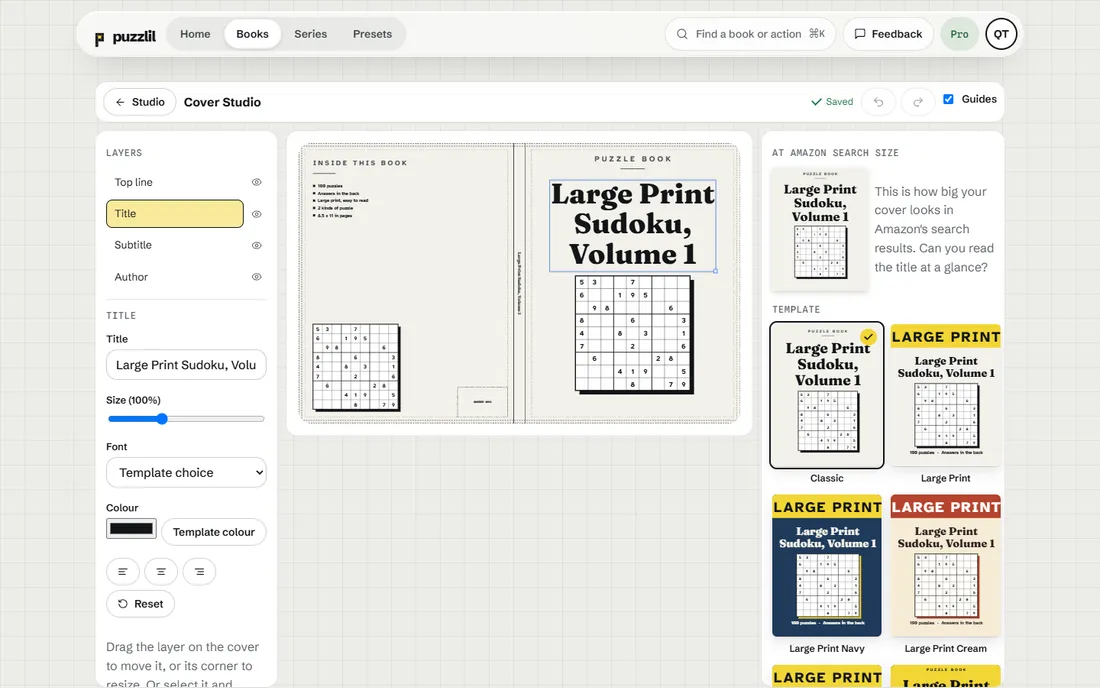
The cover should show the niche at a glance: theme, reader and "Large Print" if it is. Size it from your final page count and paper using the cover size calculator. In the listing, say how many puzzles there are, the difficulty, the trim size, and that answers are included.
Step 9: Preview in KDP
Upload the interior and cover, then page through KDP's previewer. Check the grids aren't near the spine, the word lists are readable, and the answers are at the back. For a first book, order a proof copy and solve a puzzle or two on paper.
Mixing in other word puzzles
Word search buyers often enjoy close relatives. A hidden message word search spells a message from the leftover letters once every word is found. A shaped word search sets the grid in a shape, such as a heart or a tree. Number search uses digits instead of letters. Adding a section of one of these to a word search book gives readers variety without changing the audience.
Summary
Start with a niche you can describe in one line, write clean word lists, set difficulty with grid size and directions, check every word, set margins for the final page count, build the answer key and preview the book in KDP. Puzzlil handles the grids, checks, layout, answer key and cover sizing, so most of your time goes into the parts that sell: the niche and the words.
Questions
How many words should each puzzle have?
Enough to fill the grid without crowding: often 12 to 20 for a 13 to 15 letter grid, fewer for large print.
Can I use a word in more than one puzzle?
Yes, but avoid repeating whole lists. Readers notice, and near-duplicate content is a risk on KDP.
Should the word list be in alphabetical order?
Many publishers do that because it is easier to scan. Either works if it is consistent.